Directions01 / 04
Video → guide
MCP · in development
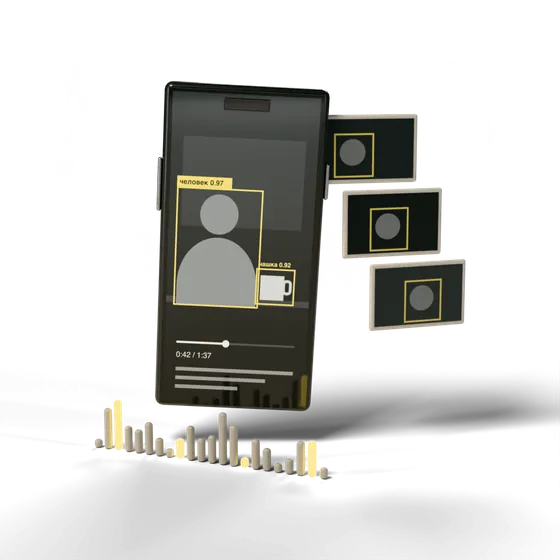
You send a link to a video from any social network. The model analyzes the sound and the footage, recognizes the objects in the frame and writes a detailed guide.
The service works through an MCP server. That’s a connection the chat assistant uses to work with the service: you write to the assistant, and it sends the video for analysis itself.
How it will workProcess
How it will work
Example The video, frames, speech and numbers are made up for illustration. This is how the service is planned; right now it’s in development.
01Link in the chat
The “Video → guide” MCP server is connected to the assistant
Make a step-by-step guide from this video
Assistant
Sending the video for analysis.
Tool call
video_to_instruction(
  url: "youtube.com/watch?v=9c1e…",
  lang: "en"
)
- Frames
- 6 of 6
- Speech
- 4:12 of 4:12
- Objects
- 10
Analyzing the video…Done
Assistant
Done: 6 steps, a list of what you’ll need and three warnings. Each step has its time in the video.
02Video analysis
Speech
- “Today we’re replacing a kitchen faucet. First, shut off the water.”
- “The valves are under the sink: hot and cold water.”
- “Put a basin underneath: there’s still water in the hoses.”
- “Use an adjustable wrench to unscrew the hose from the valve.”
- “From below, the faucet is held by a nut. Unscrew it.”
- “Lift the old faucet out from above.”
- “Screw the new hoses in by hand, without a wrench: that’s easier on the gasket.”
- “Turn the water on and check for drips with a dry cloth.”
03Guide
How to replace a kitchen faucet
From a 4:12 video · 6 steps
Caution
- Before you start, shut off the hot and cold water.
- There’s still water in the hoses, so put a basin underneath.
- Screw in the new hoses by hand: a wrench can damage the gasket.
You’ll need
- Adjustable wrenchin frame 0:52
- New faucetin frame 3:05
- Flexible hoses, 2 pcsin frame 0:52
- Basinin frame 0:52
- Dry clothfrom speech 3:52
Steps click a step to see its frame
As planned
What it does
- 01
A link from any social network
You don’t need to download the video. The assistant only needs the link.
- 02
Sound and picture together
The model transcribes the speech and watches the footage. A tool makes it onto the list even if nobody mentions it and it’s only shown on screen.
- 03
Steps, a list and warnings
The order of actions, what you’ll need and where to be careful.
- 04
A timestamp for every step
If a step is unclear, you can open the video at the right second.
Example tasks
Where it helps
- Home repairsReplacing a faucet, assembling furniture, hanging wallpaper.
- CookingA recipe from a video: ingredients, cookware and the order of steps.
- Staff trainingA cheat sheet from a shift recording: how to make a drink, open the till, put an order together.
- Appliances and carsChanging a filter, setting up equipment, small repairs.
- Crafts and hobbiesA pattern from a workshop video: materials and steps.
Right now
Status
In development
The service hasn’t launched yet, and we aren’t giving a launch date. If you need this kind of video processing, or a similar service for your own task, tell us about it.